Dashboards and personal operating systems
In this chapter you will learn to
- Put your whole week on one calm page you trust.
- Let an agent keep it current instead of you.
- Build up from a manual note, not a magic dashboard.
Stop holding your whole week in your head. Put it in one calm place, and let an agent keep it current.
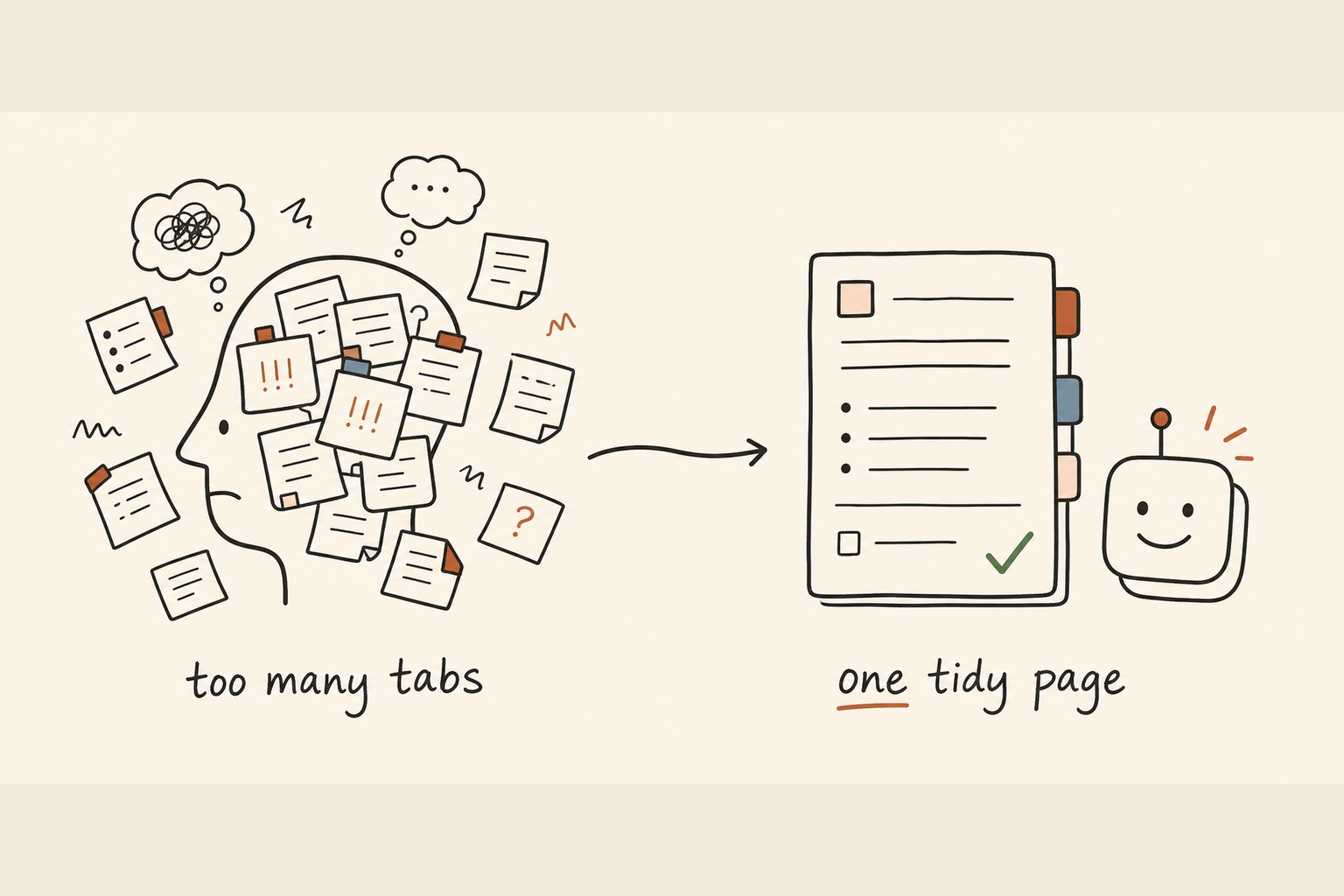
Most of us carry the week in fifteen browser tabs and a notebook we've lost. This chapter swaps that for a single page you trust, kept fresh without becoming another job.
01The problem
When the week lives in your head, part of your brain is always running a background check that nothing has slipped.
That's tiring. It's why your best ideas show up in the shower, the one place you finally put it all down.
It shows up everywhere:
- Someone asks "where are we on that rollout" and you go digging.
- You start your day with twenty minutes of orienting before a single useful thing.
- Every time you open your laptop, you re-decide what matters from scratch.
Things slip not because you're careless, but because what you're waiting on is hoped for, not written down.
02The shift
One page holds the state of your work, so you stop re-deciding what matters every morning.
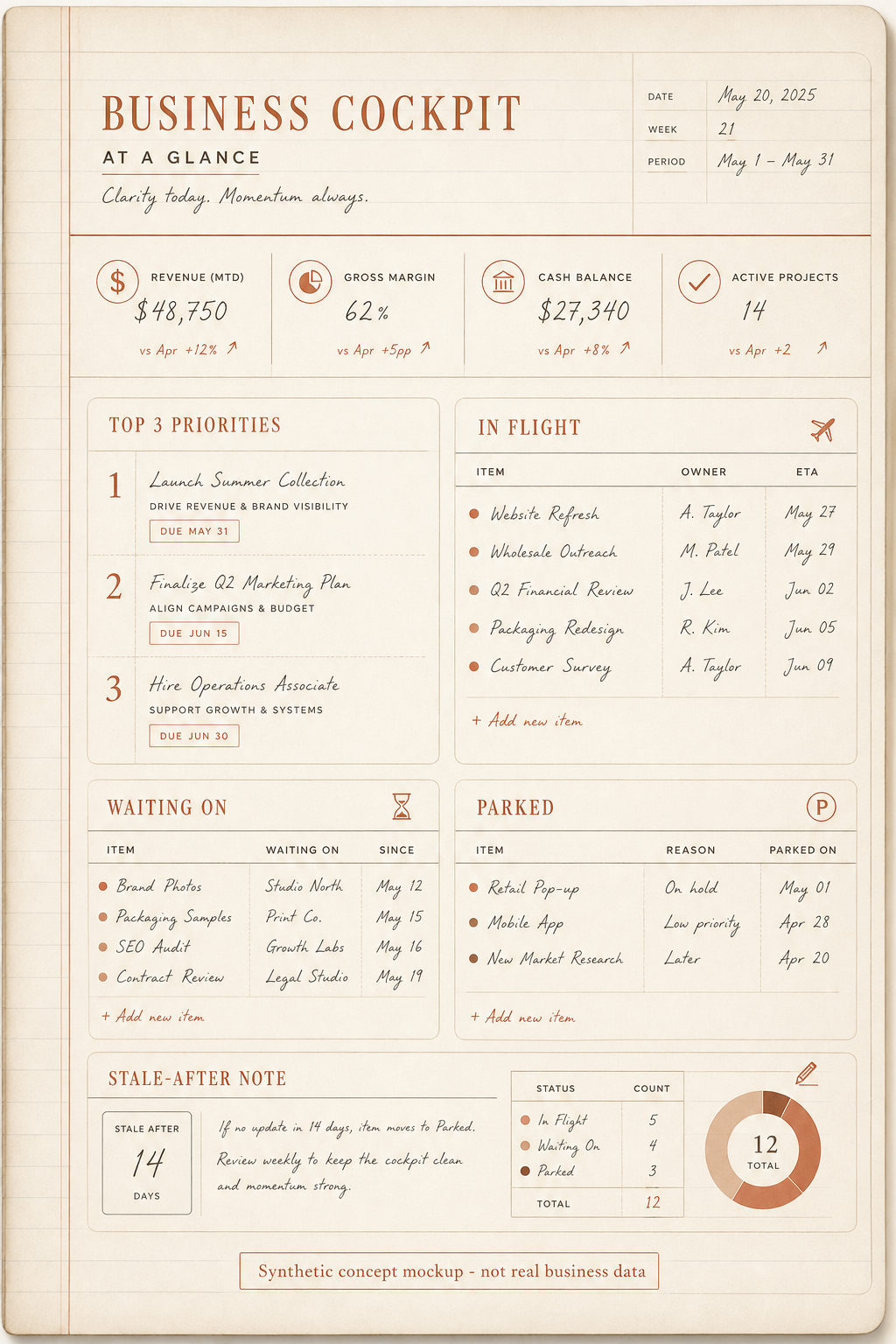
Your week, your priorities, what's waiting on you, what you owe others. Some people call it a personal operating system. It's really just one document you trust more than your memory.
The key word is "one". Not a folder of notes. Not an app with seventeen views. One page you read in thirty seconds and know exactly where everything stands.
When I say "dashboard" I don't mean charts and graphs. I mean a plain text cockpit.
Use whatever you already have: your notes app, a shared document, a plain text file. The tool isn't the point. The habit is.
An agent helps in two places:
- Building the page, so you don't stare at a blank document.
- Refreshing the page, so you can paste in the week's mess and get it sorted back into shape in a minute or two.
It won't do the work or magically organise your life. But it lets you put the week down. Over a week that's real time saved and a much calmer head.
Use the same ladder from chapter 1:
- 1Manual cockpitOne page you update by hand. No connectors, no automation, just the habit.
- 2Connected read-only cockpitOnce the page is useful, let your AI tool read approved sources and suggest updates. It should not send, delete, book or change anything.
- 3Scheduled briefWhen the read-only version is trusted, schedule a morning or weekly draft brief for you to approve.
If a tool is locked down at work, stay on rung one. A manual cockpit is still the highest-value version for many people.
03Watch me do it
Don't try to maintain this by hand, line by line. That chore dies by Wednesday. Hand the tidying to an agent and keep the judgement for yourself.
I keep one plain-text file I call my cockpit. It lives somewhere I open every day, with a handful of sections and nothing more: this week's three priorities, what's in flight, what I'm blocked on or waiting for, and a small "parked" list. Use the approved AI tool you already talk to.
- Daily. End of day, I paste in the current cockpit plus the day's loose ends (a few messages, half-finished thoughts, things I promised someone). I ask it to fold those in and hand the page back, same shape, just current. Two minutes, then I paste the clean version back.
- Weekly. Sunday evening or Monday morning, a bigger reset. I paste in the calendar and the cockpit and ask it to help me pick three real priorities and flag anything I'm quietly avoiding. It's surprisingly good at spotting the thing I keep pushing down the list.
- The heavy version. On a busy week you can throw more at it, but honestly, most people never need to. The plain chat does the job.
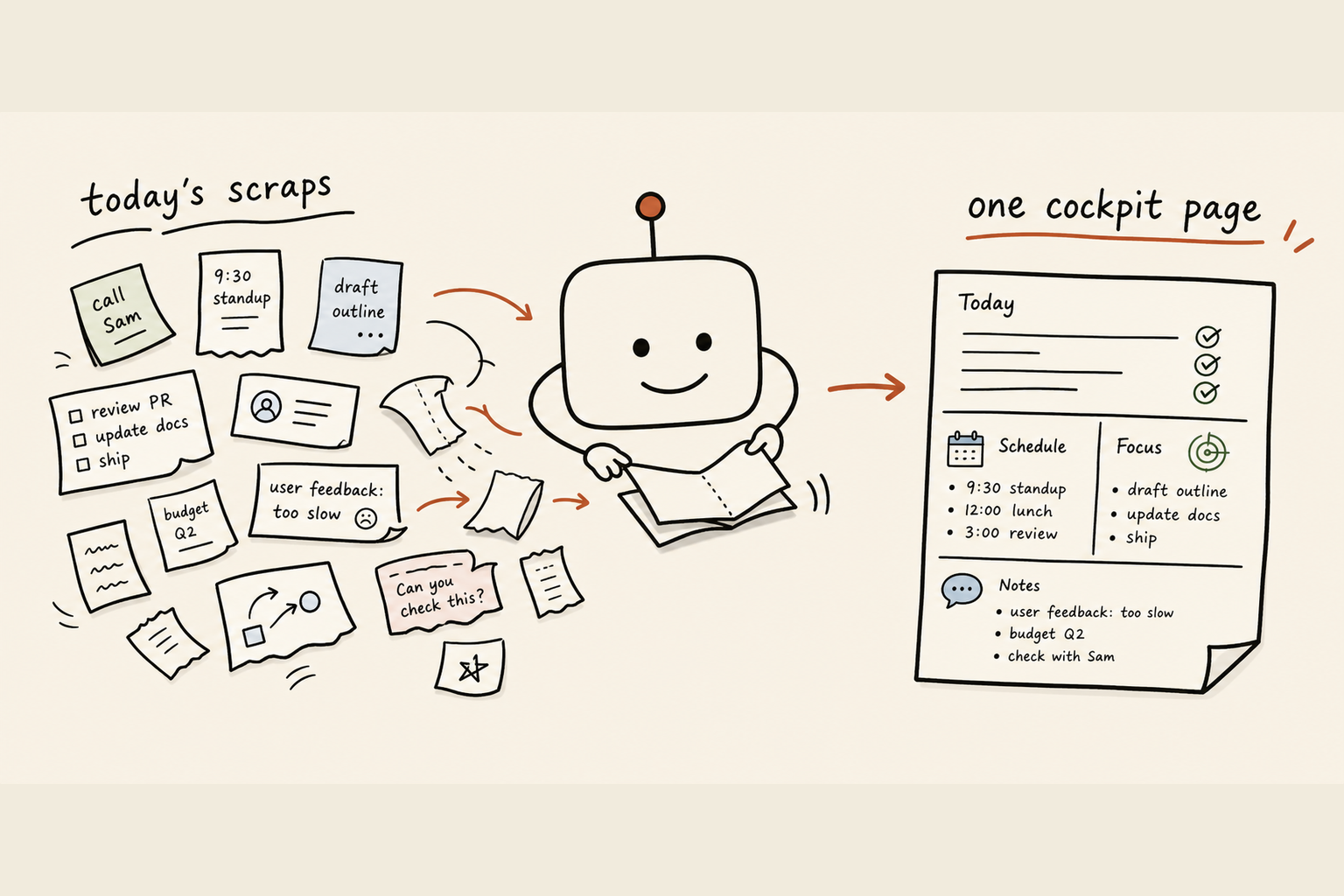
One straight limit: the agent only knows what you paste in. Feed it a thin picture, you get a thin page back. The judgement about what matters stays yours.
04Your turn
The whole thing, start to finish, in about twenty minutes today.
- 1Pick the placeOpen whatever you use daily, make one new note called "Cockpit". Don't shop for a new app.
- 2Build the first version with helpUse the prompt below. Tell the agent your role, your three or four current projects, and what a normal week looks like.
- 3Trim itThe first draft will be too long. Cut until it fits one screen with no scrolling.
- 4Fill it in honestlyWrite what's actually happening, not what you wish was. It's only useful if it's true.
- 5Set the refresh habitPick one moment a day, end of day works well, to paste the page plus loose ends in and ask the agent to fold them in.
- 6Add a weekly resetOnce a week, paste your calendar and the page in, and ask it to help you choose three priorities and name what you're avoiding.
No automation, no integrations. Just a note and a habit.
If you move up the ladder later, keep the first version visible underneath. The connected version should answer the same questions as the manual one, not become a new product to manage.
Here's the copy-paste prompt to build it:
You are helping me build and maintain a one-page personal cockpit:
a single plain-text page that holds the state of my work.

About me:
- My role: [e.g. operations manager at a mid-size retailer]
- My current projects (3 to 5): [list them]
- A normal week for me looks like: [briefly describe]

Build me a one-page cockpit with these sections, in this order:
1. This week's top 3 priorities (just three, force the choice)
2. In flight (things actively moving, with whose court the ball is in)
3. Waiting on / blocked (what I need from others, and from when)
4. Parked (matters but not now)

Rules:
- It must fit on one screen. Be ruthless. Short lines.
- Plain text. No tables, no fluff.
- Use my real projects above, not placeholders.

After you draft it, ask me up to five questions that would make it
sharper, then give me a final clean version I can paste into a note.
For the daily refresh, start a message with: "Here's my current cockpit, and here are today's loose ends. Fold the loose ends into the page, keep the exact same structure, and hand the whole page back clean. Flag anything that now looks stale." Then paste both.
A blank cockpit to start from. Copy this straight into a note. There's also a ready-made version in the starter skills that come with this playbook.
COCKPIT, week of [date]

TOP 3 THIS WEEK
1.
2.
3.

IN FLIGHT  (ball is in whose court)
- [project]:  [status]  -> [me / them]
-
-

WAITING ON  (what, who, since when)
- [thing]  <- [person]  (since [date])
-

PARKED  (matters, not now)
-
-

Last refreshed: [date]
Keep it exactly this short. Three priorities and a one-screen page is the whole value. If you're adding a fifth section, that's usually a sign two of them are really the same thing.
Do this now. Open your notes app, make a new note called "Cockpit", paste in the blank template, and write your three priorities for this week. Just the three. The rest can wait until tomorrow.
05Keep it safe
A cockpit holds your real work, so handle it like it matters.
- Sensitive content. It may hold client names, deal numbers, private plans. Before you paste it anywhere, learn that agent's privacy settings, and use an account where your inputs aren't used for training if you can. Never paste passwords, full bank details, or anything under a confidentiality agreement. When in doubt, strip the sensitive bits and use code names.
- Single point of failure. If your whole week lives in one note, losing it hurts. Keep it somewhere that syncs and backs up, not on one machine. The clean version you get each refresh is a natural backup.
- Drift and trust. A stale dashboard is worse than none: you'll trust it and get burned. If you miss a few days, don't abandon it. Do one honest refresh and carry on.
- The agent getting it wrong. It'll sometimes mislabel a priority or quietly drop a line when it reformats. Always skim the version it hands back before you save over your real page. Treat it as a fast assistant, not the source of truth.
06The payoff
The morning scramble goes quiet. You open one page and know where everything stands in thirty seconds.
"What should I be doing right now" already has an answer, because you decided it on Sunday and wrote it down.
- You stop dropping things, because what you're waiting on is listed, not hoped for.
- You answer "where are we on that" with one glance.
- You put the week down at the end of the day, instead of carrying it into the shower.
It's a small habit. A note and two minutes. But it buys back the quiet head that makes everything else easier. Start with the three priorities tonight, and let tomorrow add the rest.