How it works · 3 of 4
Sessions, context and memory
What you get from this page
- Why a long chat starts forgetting things.
- What does and doesn't carry over to a new chat.
- How different tools split work into sessions, and why.
3 min read
01One conversation
A session is one conversation with your AI tool. You start a new chat, and that's a new session. Everything you and the tool say in it builds up as you go, and that build-up is both what makes it useful and what eventually makes it go wrong.
02The context window
The context window is everything the model can see right now. That's your messages, its replies, any files or pages you've given it and the instructions running behind the scenes. It's measured in tokens, and it has a limit.
Think of it as a desk. Everything in the conversation sits on the desk, and the model can only work with what's on it. As the desk fills up, the tool has to make room. Depending on the tool, older parts get dropped or squashed into a summary, which some tools call compacting. Either way, details slip.
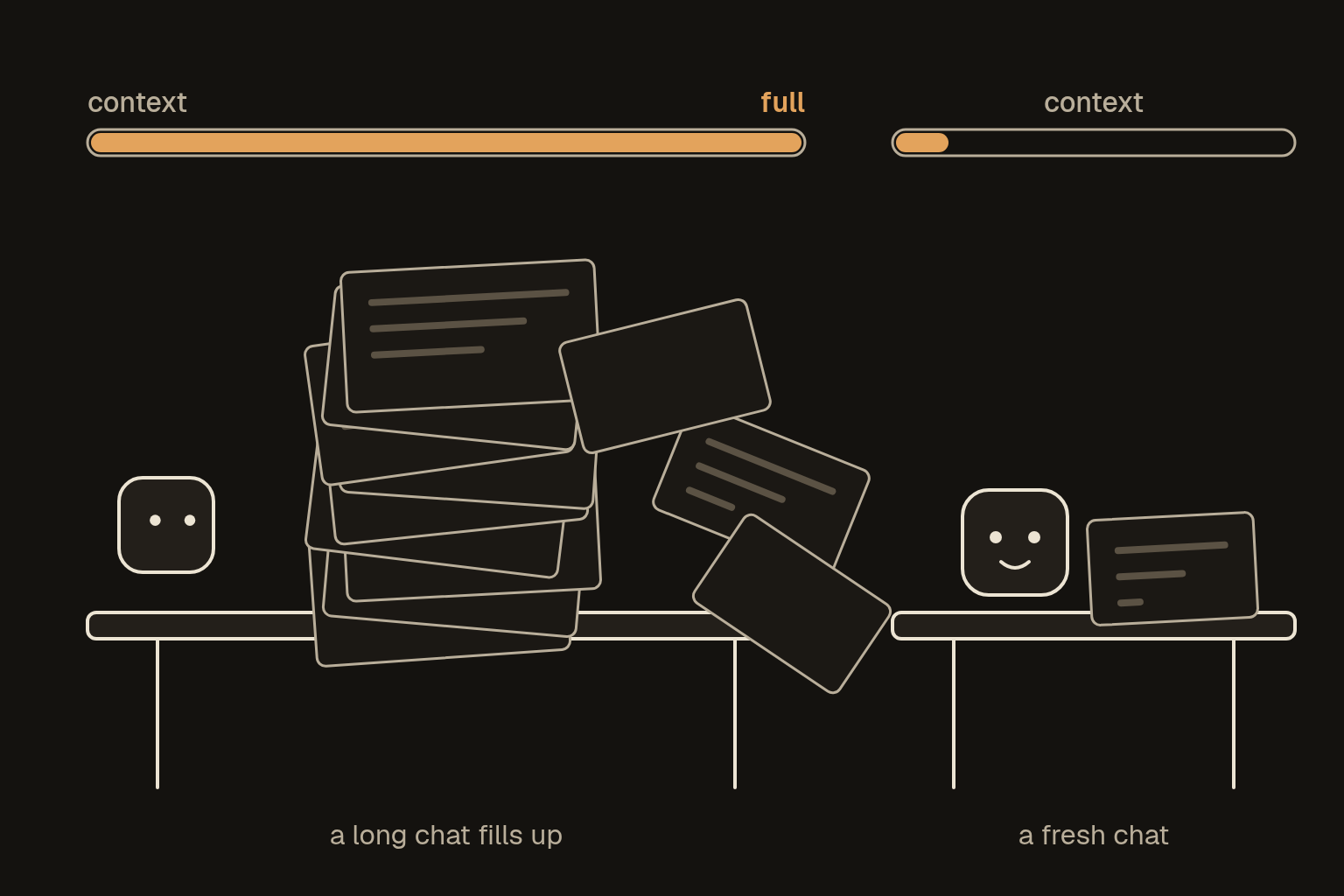
The signs that the desk is too full:
- It forgets an instruction you gave near the start.
- It mixes up names, numbers or which version you're on.
- It repeats itself, or contradicts something it said earlier.
- Its answers get vaguer and slower.
03What carries over
A new session starts with an empty desk, apart from what the tool carries over for you. That's usually some mix of these:
- Standing instructions, sometimes called custom instructions or personalisation, which it reads at the start of every chat.
- Project or workspace notes and files, which every chat in that project can see.
- Built-in memory, where the tool saves things it decides are worth remembering about you. Some tools show you the list and let you edit it, and some show you only part of it.
- Whatever you paste in at the start.
Built-in memory is handy, and it has limits. The tool decides what's worth keeping, it can save a wrong guess about you, and it stays in that one tool. That's why A memory that works has you keep your own memory note as well.
04How tools differ
Tools handle sessions in different ways, and it helps to know which kind you're in:
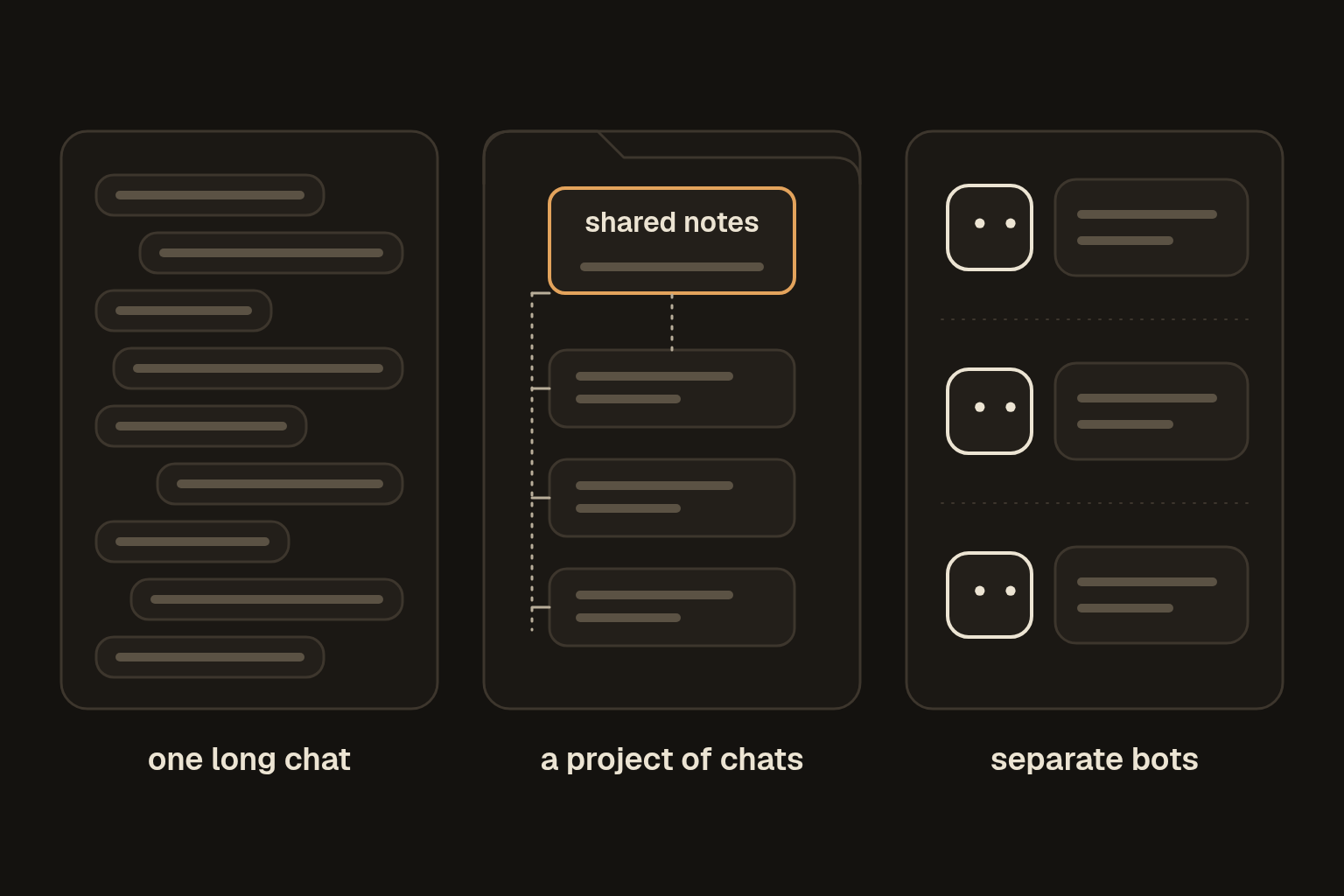
- One chat at a time. Most chat apps work this way. Each chat is its own session, and it's up to you to start a new one.
- Projects or workspaces. Many chats share the same instructions and files, and each chat is still a separate session.
- A bot or assistant for each job. Some tools give every job its own bot, and each bot keeps its own long-running conversation. Grok Bot, which I use, works like that. It's a session split done for you, so no single conversation carries every topic at once.
- Agents that work for a long time. Tools that run long jobs on your computer often summarise older parts of the conversation automatically so they can keep going. That's useful, and it's also when details can quietly drop out.
05What to do about it
- One job per session. Start a new chat for a new topic, even when the old one's still open.
- Carry what matters in something you control. A memory note and a handover note travel with you, whichever tool you're in.
- Start fresh before it goes wrong, not after. Fresh sessions has the rules of thumb and the handover prompt.